Check what you have
For people who have received grants. Check the expiry and supporting requests for your accounts and permissions.
Check what you have
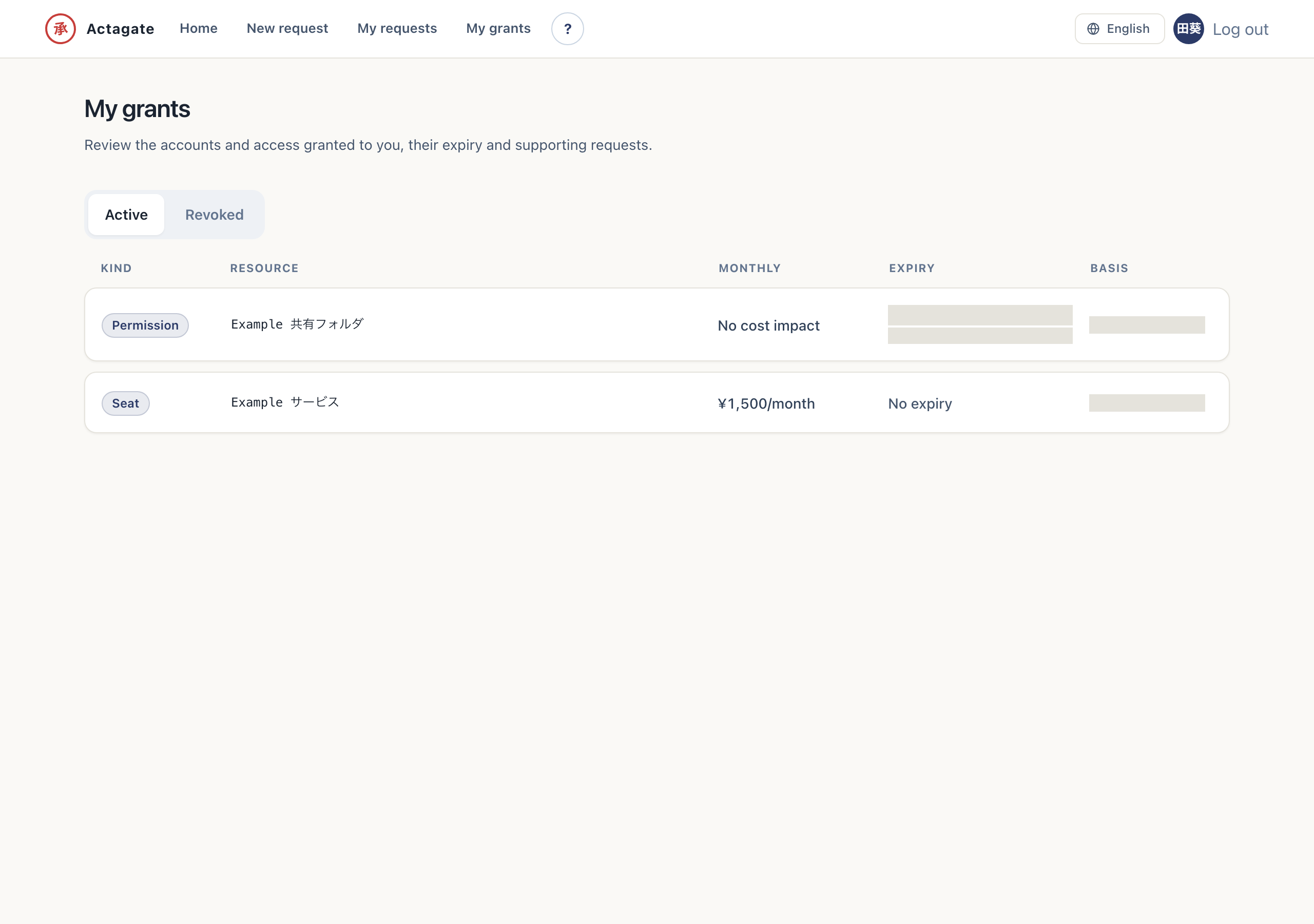
Section titled “Check what you have”“My grants” /mine lists the items issued to you after approval (accounts, permissions, SaaS
subscriptions…). Items with an expiration come first, and each row shows the monthly cost, the
expiration (days remaining and notice date), and a link to the request that justified it. Use the
segments to switch to revoked items. Revocation is an administrator task, so it does not appear here.
Check expiry and revoked grants
Section titled “Check expiry and revoked grants”- Open “My grants” (
/mine). “Active” grants appear, with expiring items first. - Check “Monthly”, “Expiry”, and “Basis”. You can see days remaining, the notice date, and a link to the supporting request.
- Choose “Revoked”. The list switches to revoked grants.
Slack expiry notices contain the resource and expiry date. Revocation notices contain the resource, reason, and revocation time. Administrators handle revocation; this screen has no revocation action.