Approve on the Web
This page is for approvers using the Web. Review the execution plan in a record and confirm approval.
Approve the request
Section titled “Approve the request”- Select a row under “Mine” at
/ws/approvals. The request record opens on the right. - Review changes, cost, and expiry in “Plan”, then check your step in “Route”. You can identify the plan and your responsibility.
- Select “Approve” at the top. The displayed
plan_hashis submitted, and approval is recorded if it matches. - Check the outcome and route. The next level receives an approval request, or execution starts when all required approvals are complete.
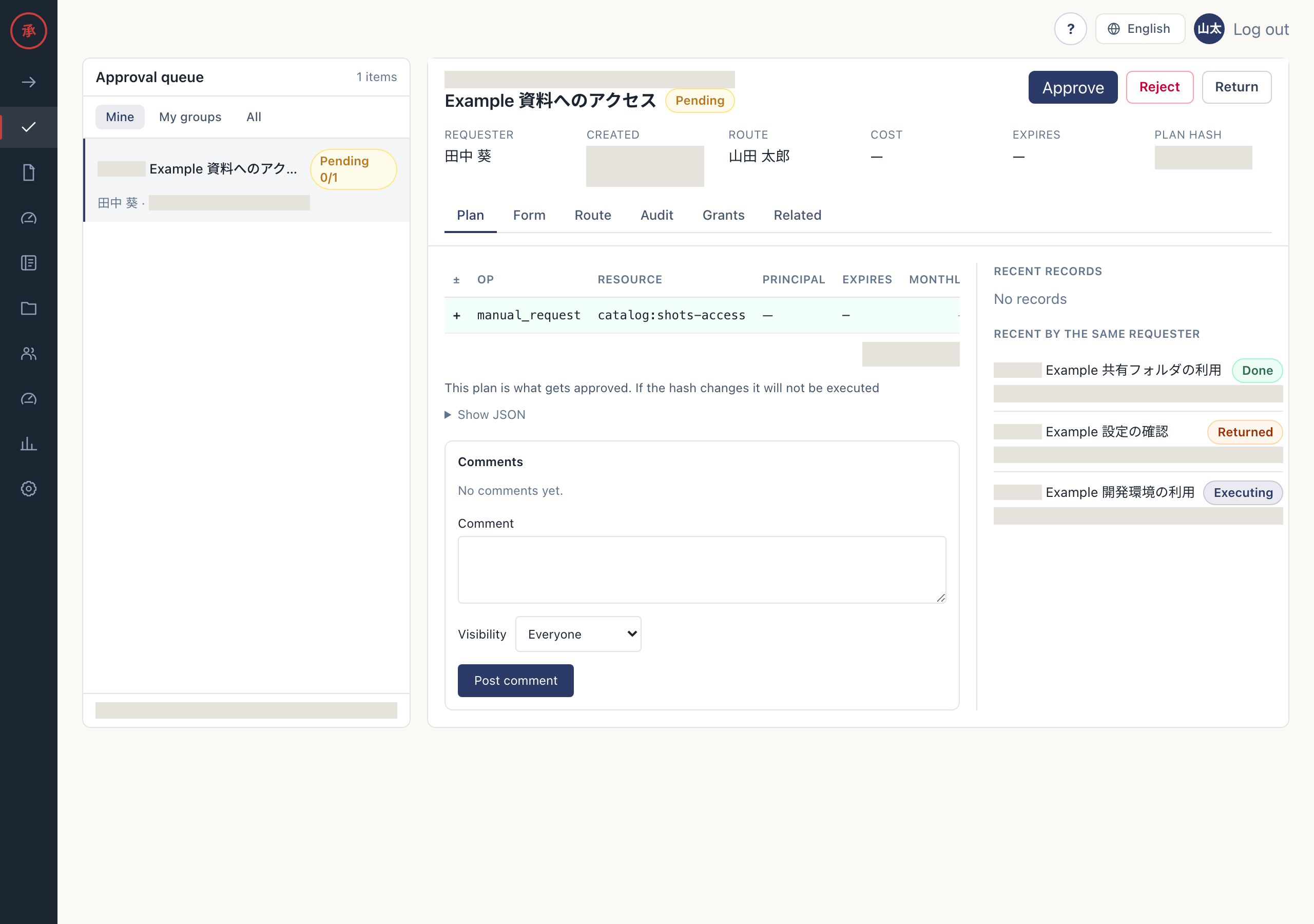
See decisions and actions for rejection and return.
Check the Slack card update
Section titled “Check the Slack card update”Web decisions also update the Slack approval card. Decisions made in Slack appear in the same Web record. Both use the shared approval process, so the same step cannot be decided twice. Audit records, hash checks, and parallel approvals follow the same rules.
A failed Slack update does not undo a recorded decision. If the card is stale, check the outcome in the Web record.
If the plan has changed
Section titled “If the plan has changed”Approval or rejection with an old plan_hash produces hash_mismatch and shows “The plan has changed. Check the approval card”. That action does not approve or reject the request. A failed return, including a hash mismatch, shows “The request could not be returned. Check its status and assigned approver.”
- Reopen the record. You receive the current plan.
- Read the changes again before acting. You can submit a decision on the current plan.