Bundle multiple requests
For requesters who need several items. Select catalogs together and submit one request.
Bundle multiple requests
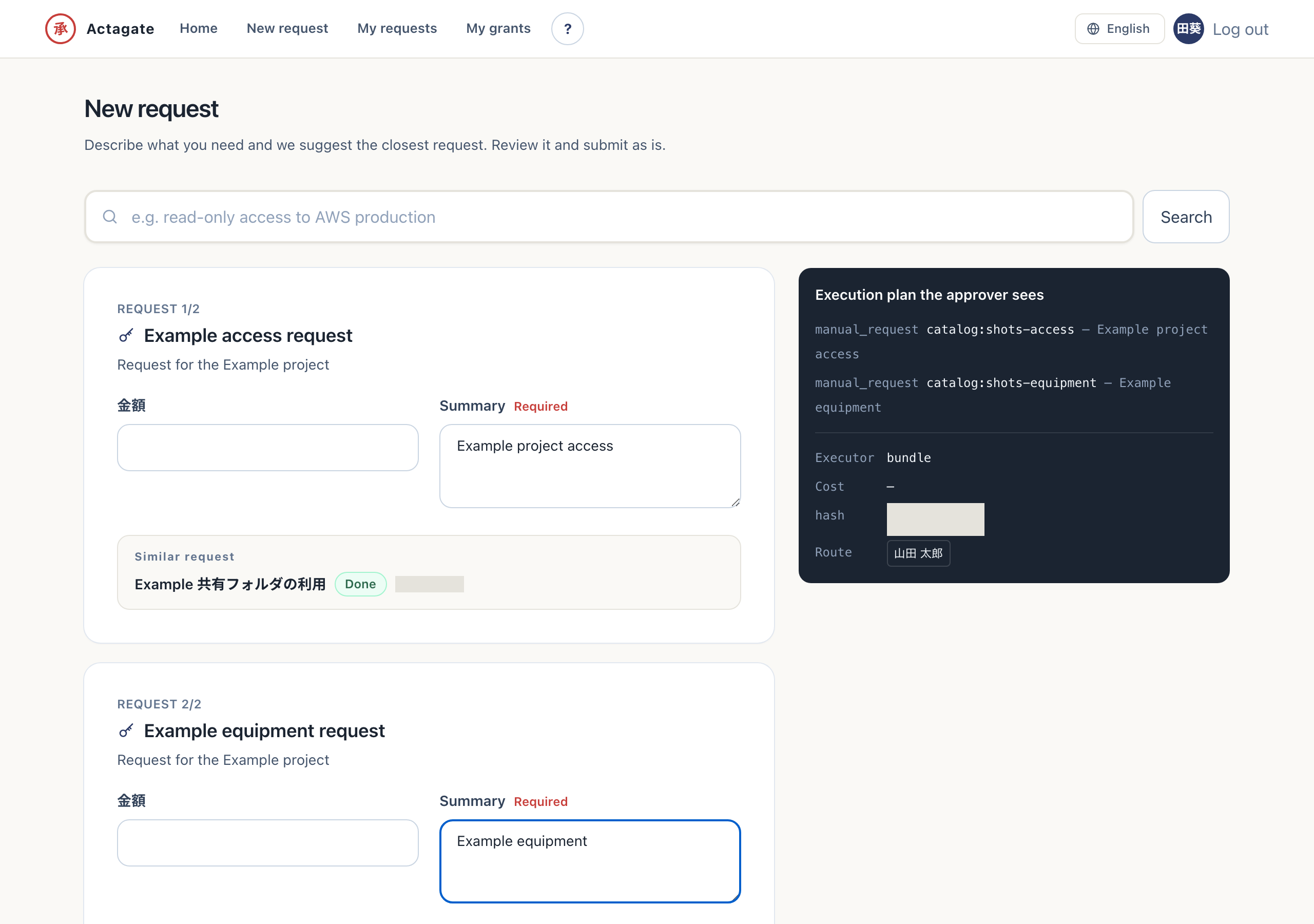
Section titled “Bundle multiple requests”When you need both a Google account and shared-drive permission, select multiple catalog items on the “New request” screen and submit them as one request. Approval routes are merged automatically: the same approver acts only once, while approvers in the same step receive cards in parallel. This minimizes the time spent waiting for approvals.
Submit a bundle
Section titled “Submit a bundle”- On “New request” (
/requests/new), check several catalogs and press “Continue”. Forms for the selected catalogs appear. - Fill in each form and review the changes and approval route on the right. A combined execution plan appears.
- Press “Submit this request”. The bundle is accepted as one request.
When one form is open, you can also choose candidates under “Request together”.