Check the approval queue
This page is for approvers checking pending work. Find requests addressed to you and open the records needed for a decision.
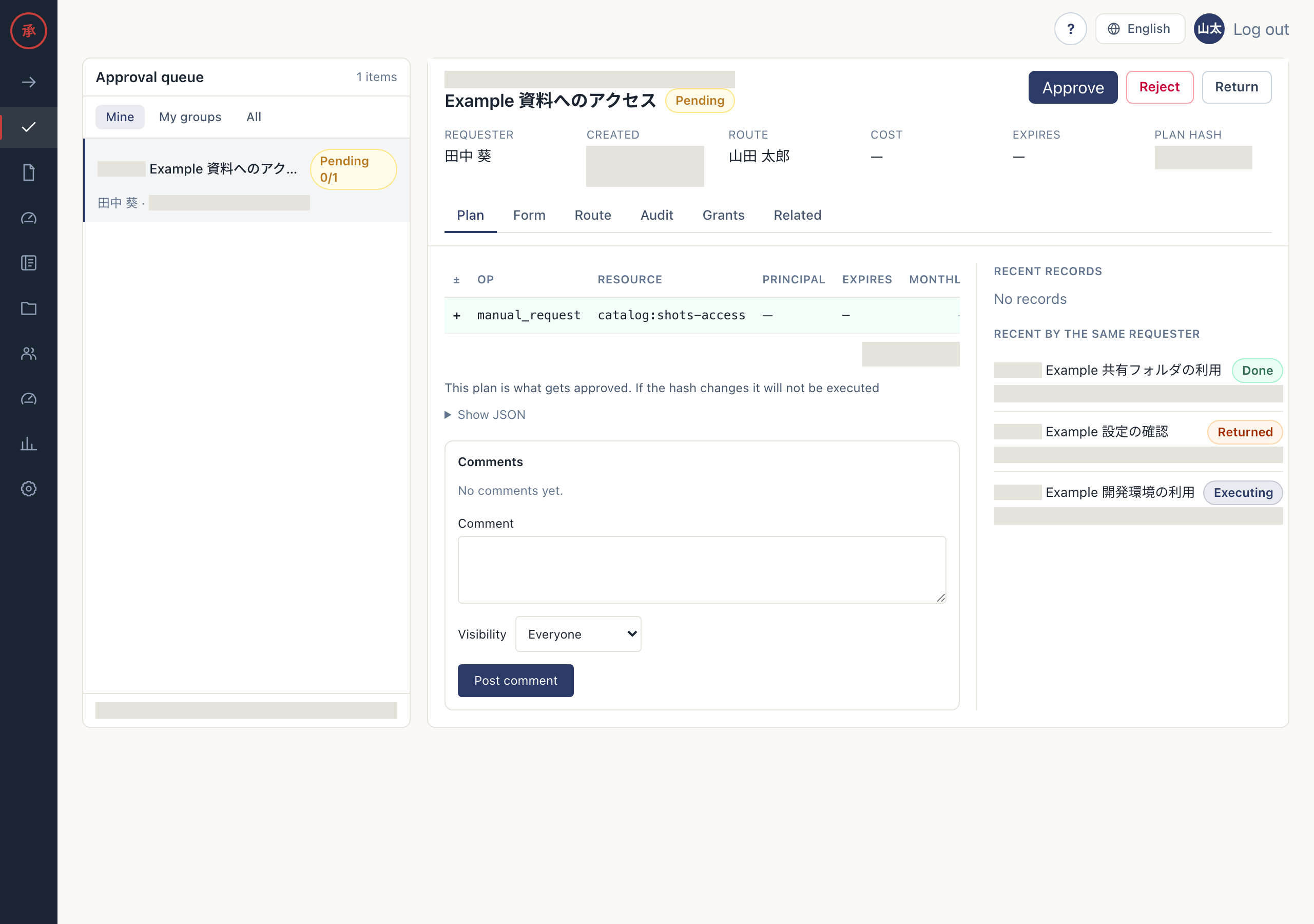
Find pending approvals
Section titled “Find pending approvals”- Open “Approval queue” at
/ws/approvals. Steps with the longest wait appear first. - Filter with “Mine” (mine), “My groups” (group), or “All” (all). Mine covers your individual and group steps; My groups covers your groups; All covers pending steps across the organization.
- Check the request title, requester, waiting approver, elapsed time, and approval progress, then select a row. Its record opens on the right.
“All” gives you an organization-wide view. Changing scope does not grant approval rights. Steps where you are not an approver have no action bar. Ask an administrator to change group membership when responsibility needs to move.
Read the record
Section titled “Read the record”- Check “Plan” for the actual changes. You can identify what you would approve.
- Open “Form” and “Route”. You can compare the submitted values with each step’s state.
- Check “Audit”, “Grants”, and “Related”. You can review decisions, grants issued from this request, and recent requests by the same requester.
Read the approval card before deciding. Follow Approve on the Web to act.