When you are not sure what to request
For people who do not know which catalog to choose. Use the intake on Home to find suggestions and draft form values.
When you are not sure what to request
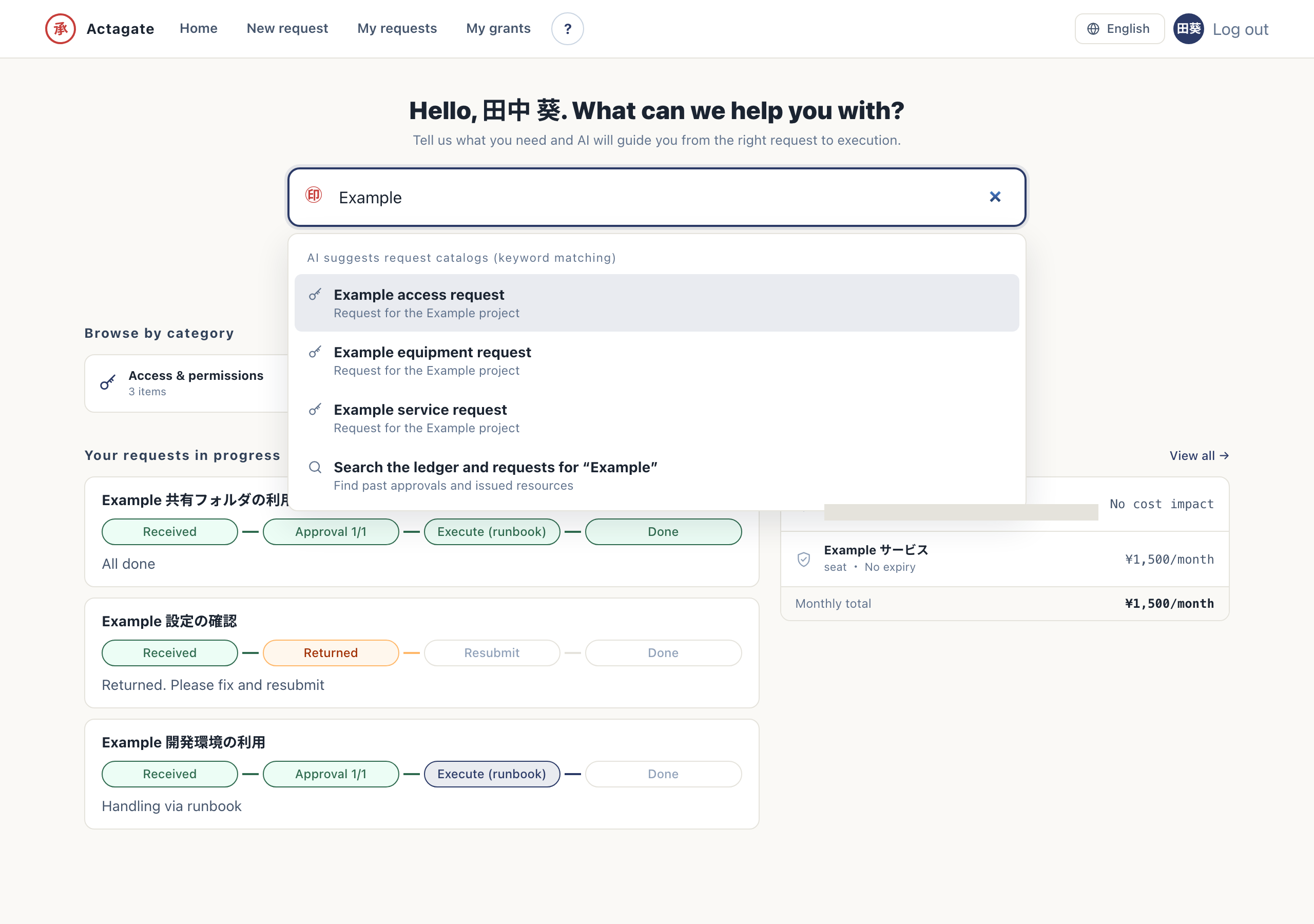
Section titled “When you are not sure what to request”Start here when you are stuck. Describe what you want in the search box at the top of Home, in your own words. You do not need special terms. For example, “Let Tanaka, who joins next month, access the drive.” A suitable catalog is selected, and form values such as the name and permission level are suggested.
Find a suggestion in the intake
Section titled “Find a suggestion in the intake”- Describe your goal in “Find requests and records by keyword” on Home (
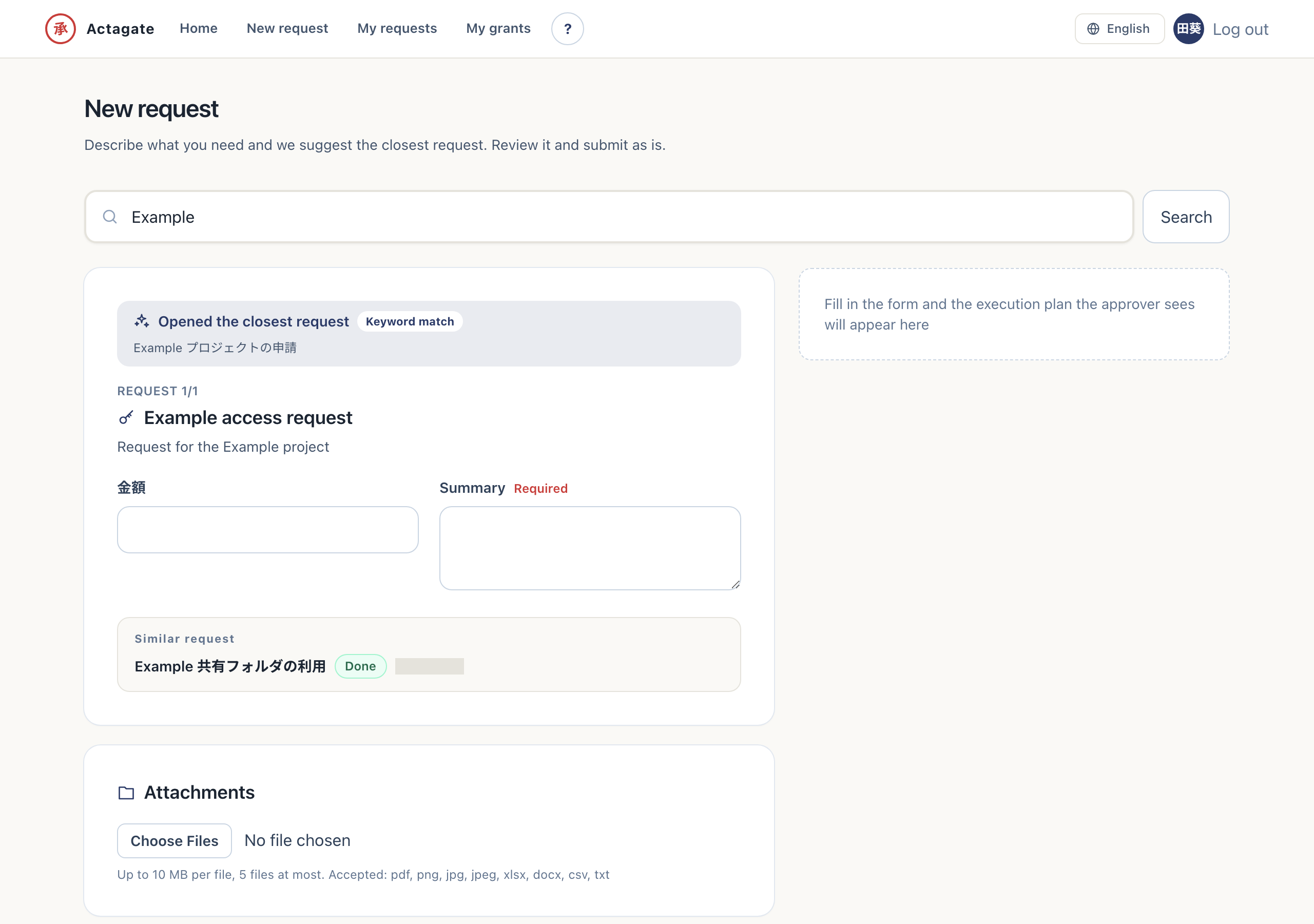
/home). Request suggestions appear. - Select a suggested catalog. The suggested form opens on “New request”.
- Check and correct the draft, then follow the Web steps. A request ID is issued.
Keyword matching remains available when AI is unconfigured or unavailable. Check suggested values before submitting.