Track progress and details
For people who have submitted a request. Check approval progress, execution, and records in the list and details.
Track your requests
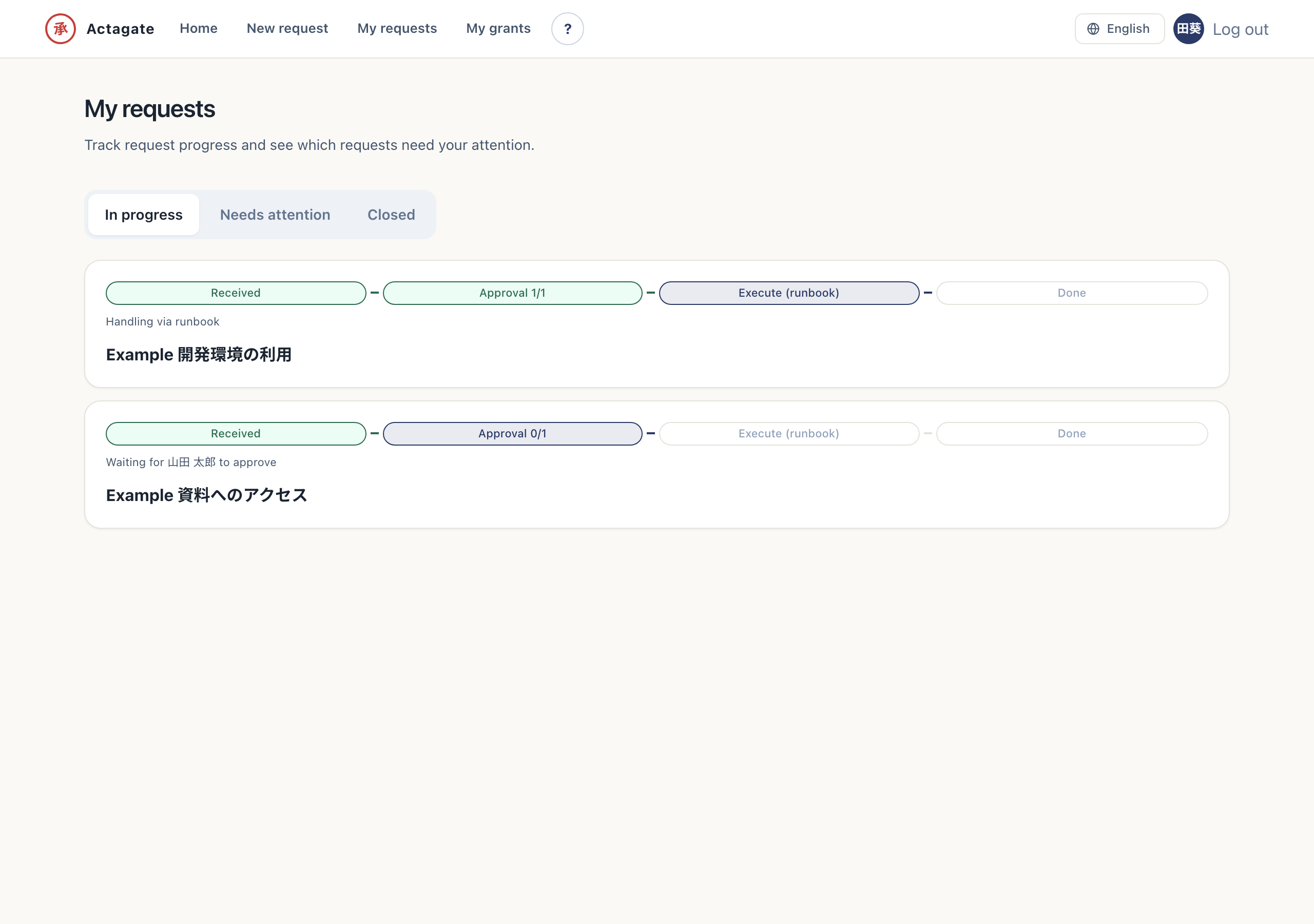
Section titled “Track your requests”“My requests” /requests lists only the requests you submitted, and nobody else’s. It is split into
three segments.
- In progress: Waiting for approval or execution
- Needs attention: Returned or withdrawn items; fix them with “Edit and resubmit”
- Closed: Requests that were approved or rejected
Each row shows progress (received → approved → executed → done) and a one-line status.
View request details
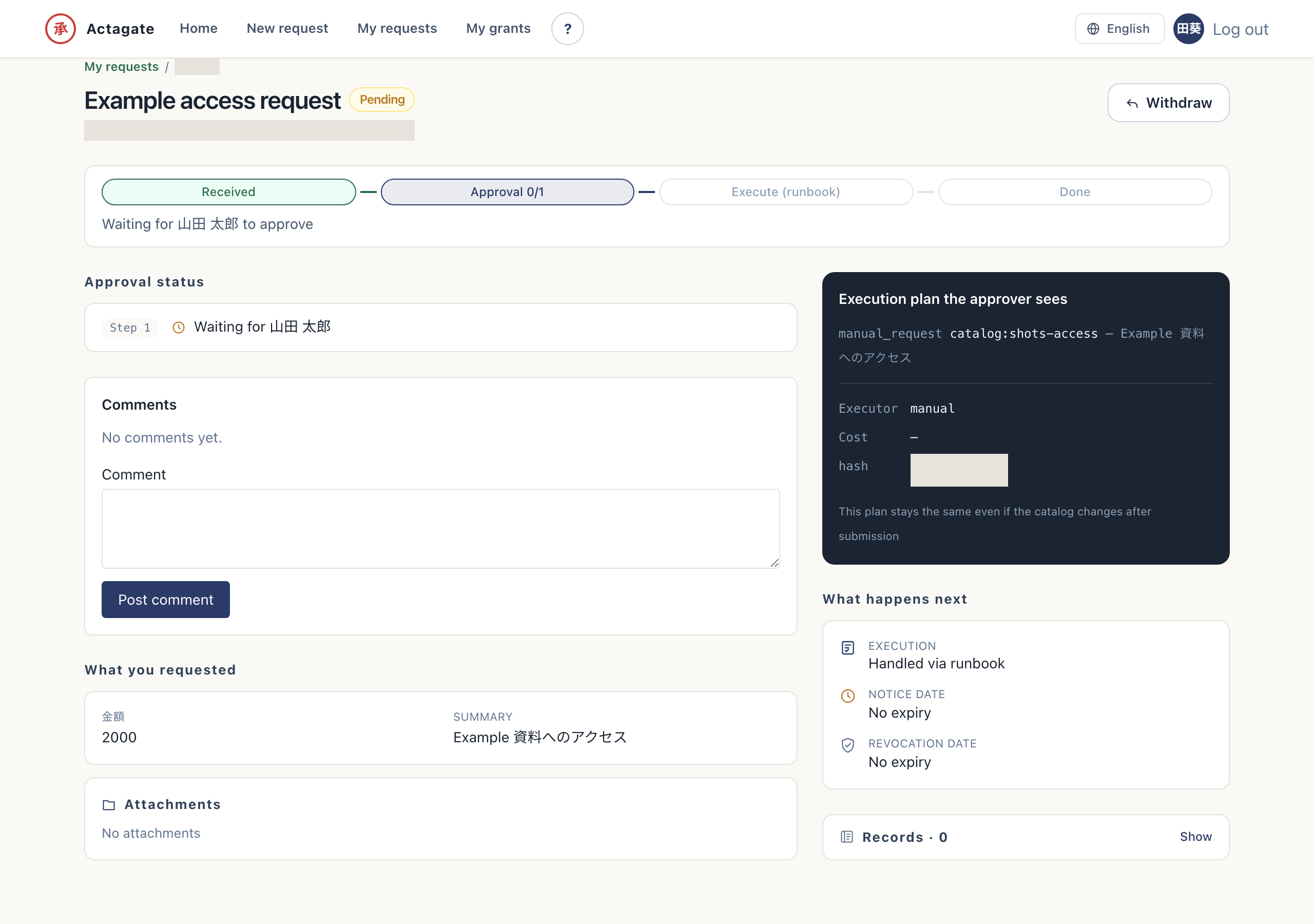
Section titled “View request details”Opening a single request shows its progress (which steps are approved and who currently holds it) and what happens next (automatic execution or a runbook, the notice date, and the revocation date). Approvers and administrators also see an “Open in workspace” link.
Check the plan and records from the list
Section titled “Check the plan and records from the list”- Open “My requests” (
/requests) and choose a status segment. Only your own requests appear. - Open a request. You can see approved steps, the current approver, and parallel approvals in the same step.
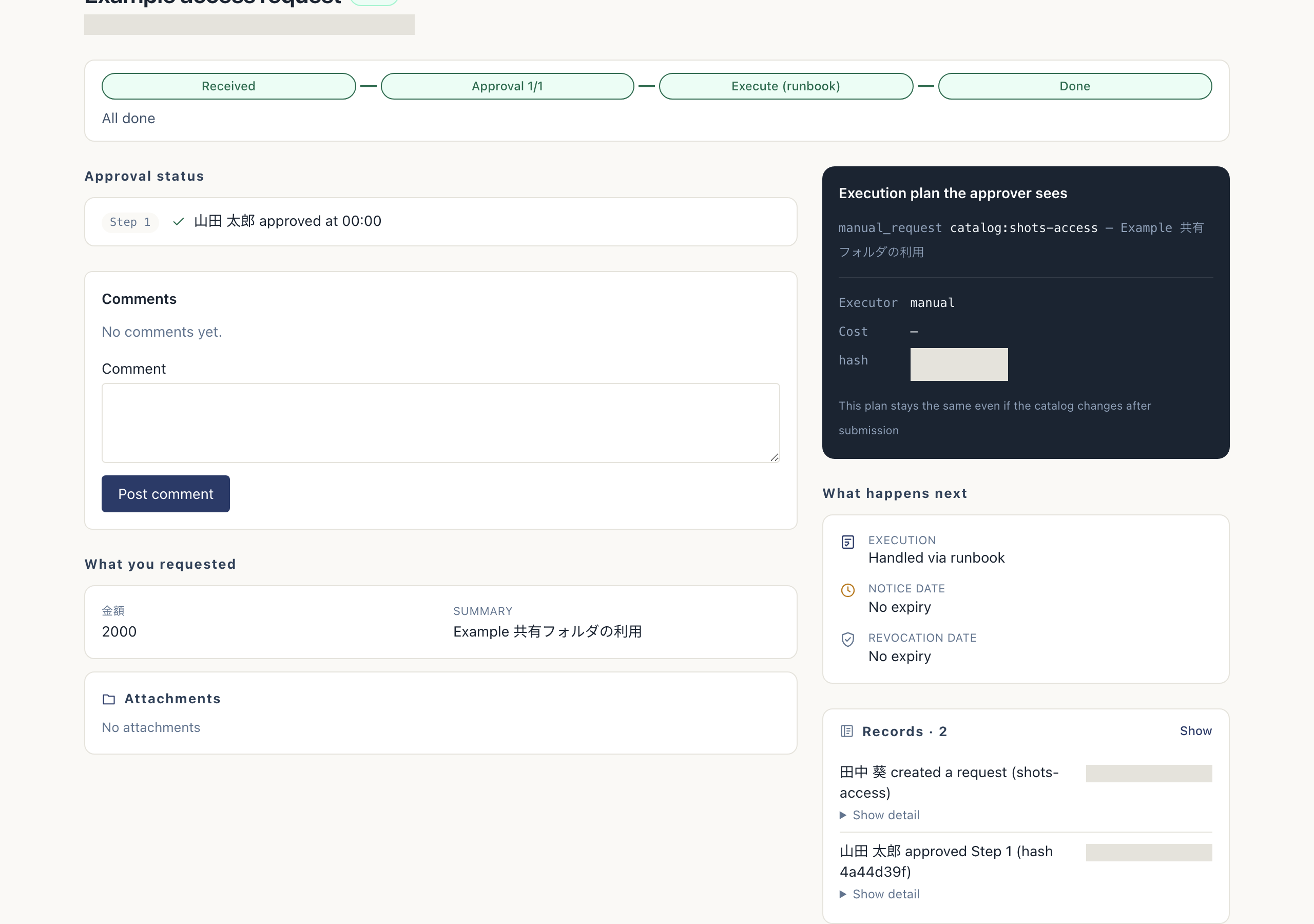
- Review the execution plan and “What happens next”. You can see changes, cost, route, plan hash, execution method, notice date, and revocation date.
- Expand “Records”. Approval and execution records appear.
The submitted plan stays the same if the catalog changes later. “Your pending approvals” on Home lists requests awaiting your approval, rather than requests you submitted.