Rejection, return, withdrawal, and resubmission
For requesters who need to correct a request. Distinguish rejection, return, and withdrawal before resubmitting.
If a request is rejected
Section titled “If a request is rejected”The reason arrives by DM. Correct the request and submit it again.
Returns, withdrawals, and resubmission
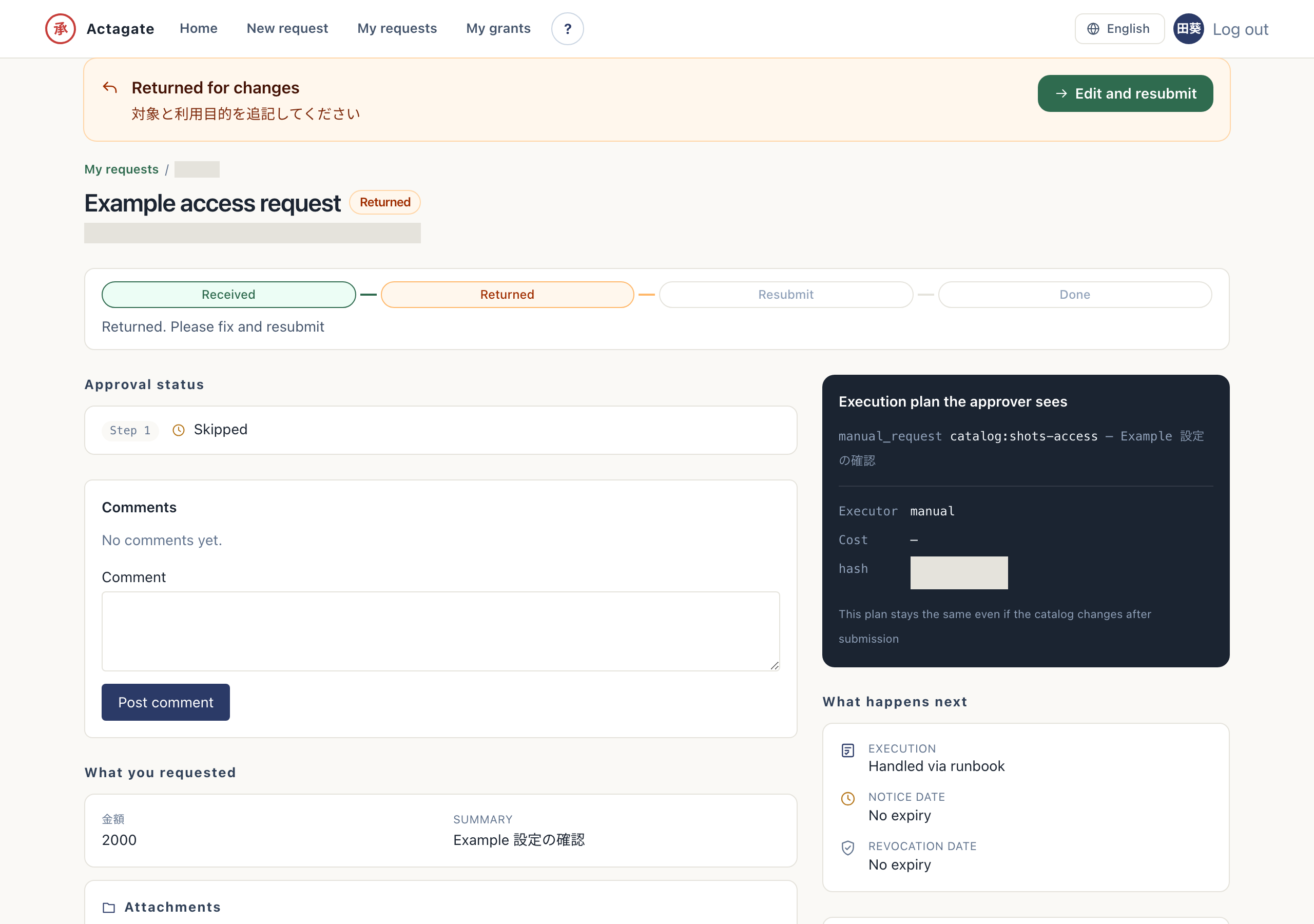
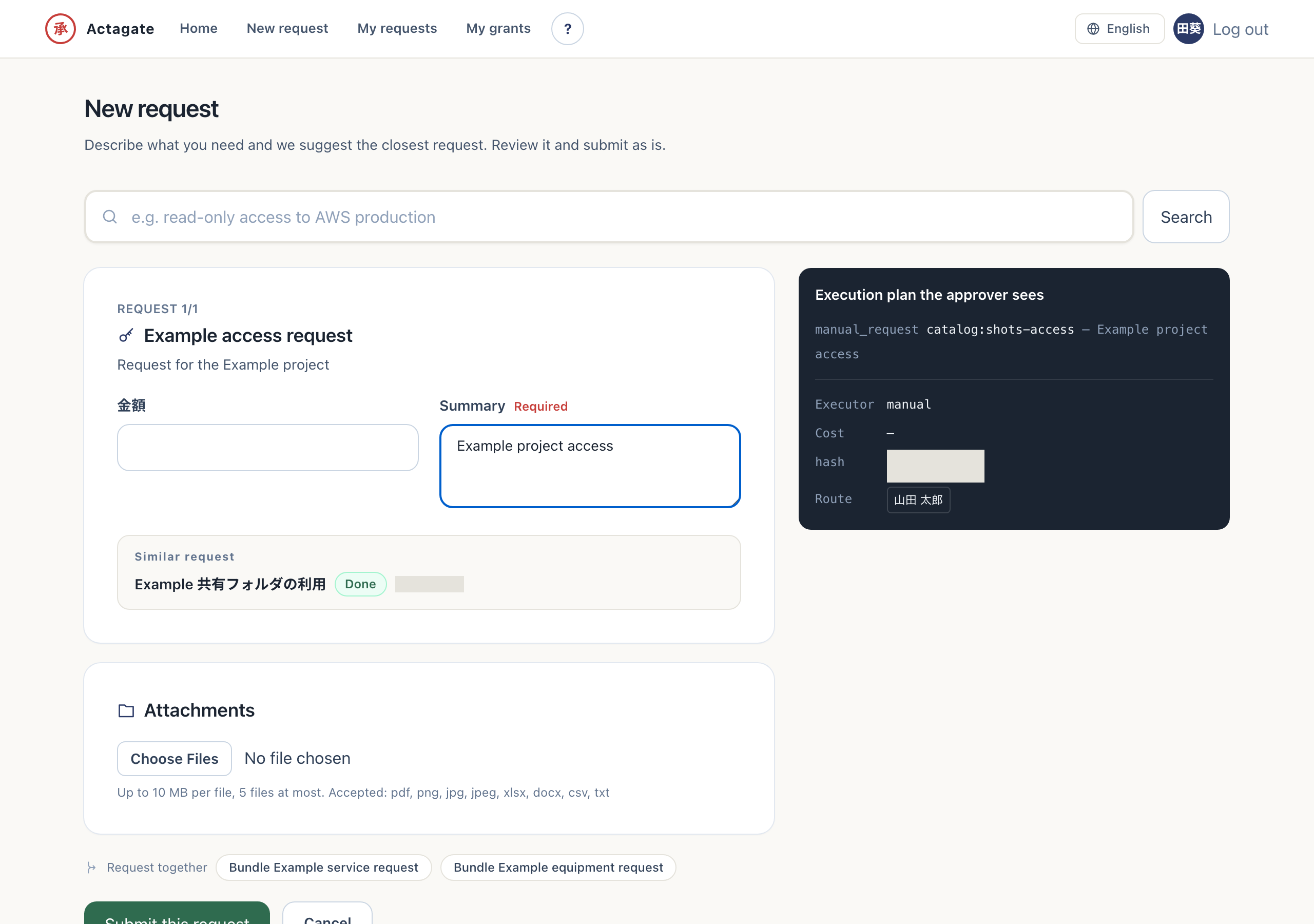
Section titled “Returns, withdrawals, and resubmission”When an approver returns a request, you receive a DM containing the reason. Select “Edit and resubmit” to open a form prefilled with the original values. For a bundled request, values for every catalog item in the bundle are carried forward, so there is nothing to type again.
If you need to make a correction while your own request is still pending, select Withdraw on the request details page. Press “Withdraw and edit” to open the form immediately with the previous values prefilled.
The original request is never edited after a return or withdrawal. Resubmission creates a new request and a new plan, linked in both directions in the UI. The original plan and audit record remain unchanged.
Check the reason and resubmit
Section titled “Check the reason and resubmit”- For a rejection, read the reason in the DM and start again with the Web request steps. You can submit a separate request.
- For a return, read the reason and press “Edit and resubmit”. The previous form values are prefilled.
- To correct your own pending request, open “Withdraw” in its details, optionally fill in “Withdrawal reason (optional)”, and press “Withdraw and edit”. The request becomes withdrawn and the form opens immediately with the previous values prefilled.
- Correct the values and press “Submit this request”. A request with a new ID and plan is created, with links in both directions to the original.
The withdrawn request’s details show “This request was withdrawn” and “Edit and resubmit”. To resubmit later, use this button to open the form with the previous values prefilled.
Rejection ends approval. A return asks the requester for changes. Withdrawal stops a pending request at the requester’s initiative.