Handle accumulated approvals from the requests list
This page is for approvers reviewing accumulated work. Find requests in the list and read each one before deciding.
Find and process requests
Section titled “Find and process requests”- Open “Requests” at
/ws/requests. Requests across the organization appear. - Filter by status, or type in the “Search by title, requester, or #id” box and select “Search”. You can find the requests you need.
- Select a row and review the same details as the approval card. You can check changes and conditions in the record.
- Decide using the action bar for your step, then open the next row. Each decision is recorded separately.
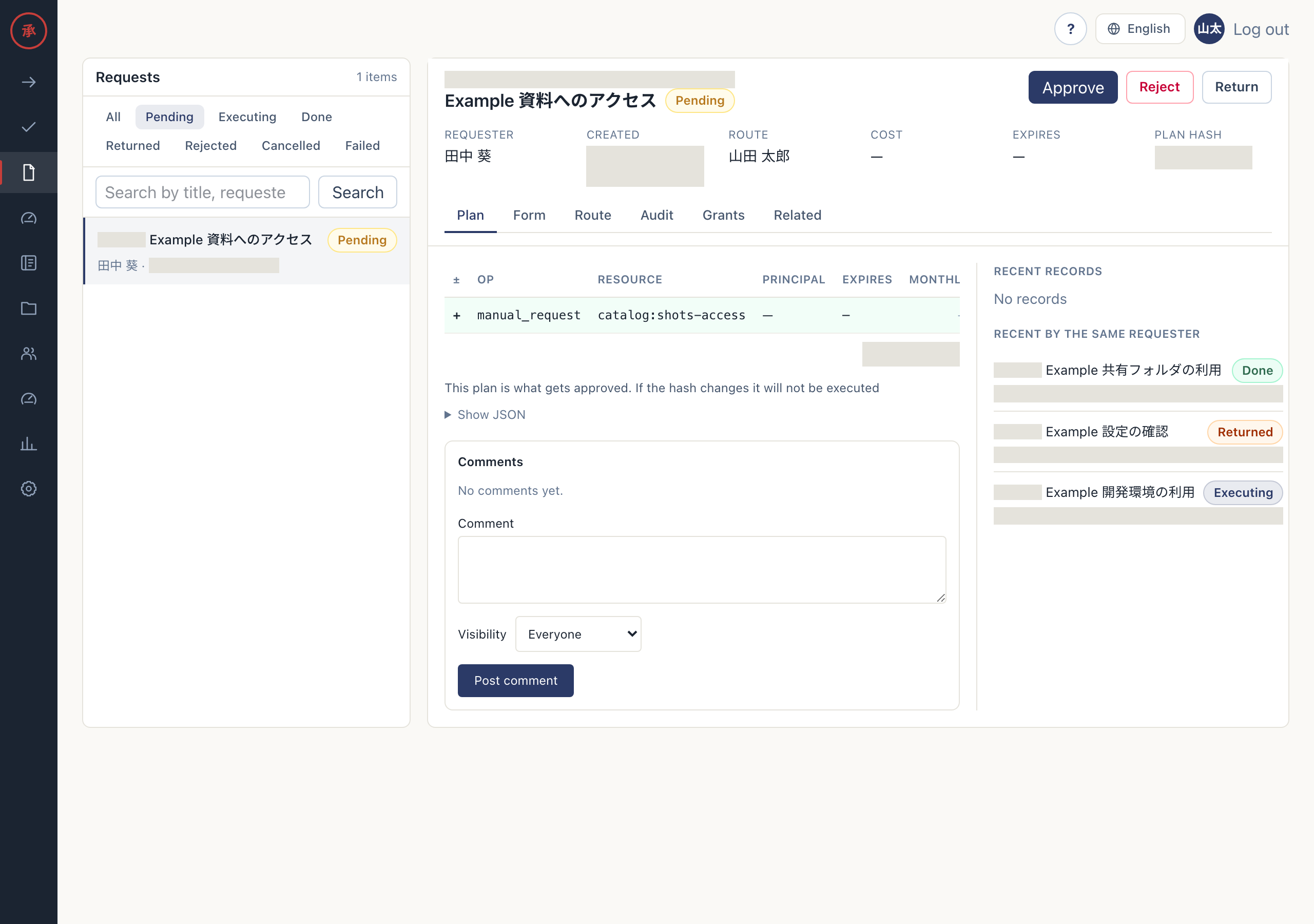
Steps where you are not an approver have no action bar. Open delegated requests here or under “All” in the approval queue. For approvals addressed to you or your groups, you can also use “Review and approve” under “Your pending approvals” on Home. Delegated requests do not appear in this Home list. There is no bulk approval action.
Review accumulated approvals
Section titled “Review accumulated approvals”Check “Mine” in the approval queue, starting with the longest waits. Return requests with a reason when you lack information needed for a decision. See waiting notifications for notification conditions.
Check the digest
Section titled “Check the digest”People with report viewing permission can configure weekly or monthly delivery at /ws/reports. The digest summarizes request counts, approval lead time, rejection rates, and return rates. It does not process pending approvals in bulk.
Report reads and CSV exports check whether delivery is due. Open the report from the link in Slack or email, then return to the approval queue for individual decisions.